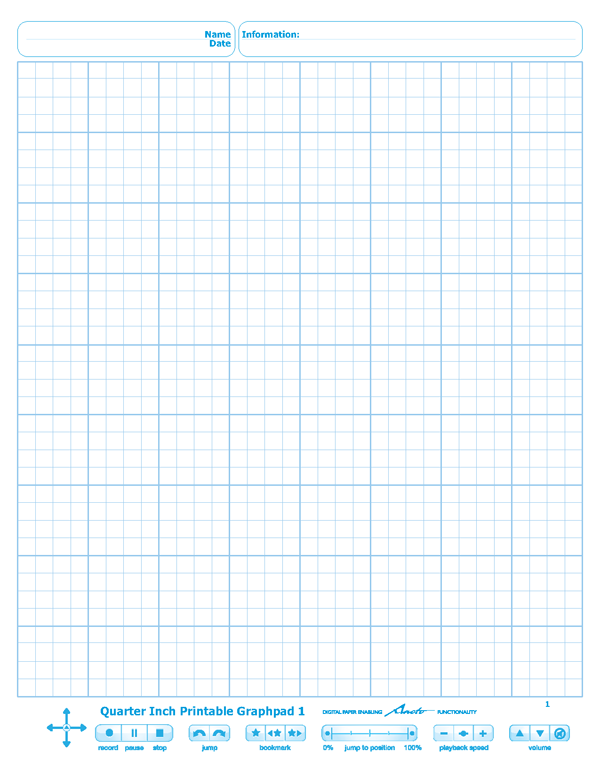
This is the product page for my Quarter Inch Printable Graphpads #1-4. These are four printable notepads of graph paper for the Livescribe Smartpens that I have created and released free of charge. The graph spacing is 1/4 inch, that is 4 squares per inch. These are created for printing on US Letter sized paper.
Works with: Livescribe Pulse & Echo Smartpens
Requirements: Follow the directions on this page to successfully use it.
Downloads: Each zip file contains the PDF and the AFD file you will need. Each graphpad is 25 sheets. Download links are located below the images.
Could you please publish PDFs?
The PDF's are within the ZIP files. You have to download the entire zip file because you have to install the AFD file following https://rohankapoor.com/projects/livescribe/instru… to actually use the PDF
Hi, these are great! I have 2 questions for you. 1) Do these work with the ECHO pen? and 2) Can you make 100 Page versions of these? Thanks Kris
Hi Kris,
These do work with the Echo smartpen. The software and directions to deploy them work with both pens. As for the 100 page versions of these, I didn't have plans to do that. I did however have plans to make 100 page lab notebooks with a graph pattern (there would be small differences) but the majority of it would be the same. I'm currently waiting on someone for Livescribe who is supposed to get back to me on Monday.
Glad you liked them!
The Second Semester of school is starting soon and I have a few Engineering classes that require lots of note taking. any chance that you will be posting the 100 page Lab notebooks (graph paper) anytime soon?
thanks in advance
They are up along with my Custom Paper Deployment Tool. See this page: https://rohankapoor.com/projects/livescribe/custom…
Paper worked beautifully on the first try. I loaded a test recording to my computer and it was just what my team and I are looking for. But, I ran into trouble when I uploaded the file to livescribe.com to share with the rest of the team. Watching the pencast online, there is no graph on the paper. It just looks like I just worked out my problem on a blank sheet. Do you have any suggestions? Or, did I miss something as I tried to follow your instructions. Thanks for these files and any help you make be able to offer.
I don't think it's something you did wrong. Sometimes Livescribe Desktop incorrectly uploads pencasts. That would be my first guess. Secondly, it is possible that there is no support in pencasting custom paper. I will see what I can find out from Livescribe.
I have two needs for custom paper and you seem to be The Man when it comes to working with this. I take notes at a committee meeting and publish the minutes. I'd like to be able to print dot paper that had the agenda listed with space and lines to write below so I could just publish the pencast and not have to transcribe. Second, I do student interviews in all my college physics classes three times during the semester. That has me sketching the same stuff on each of the pages that students fill out and describe during the interview. I'd like to be able to have a template for each of the interviews.
On the Livescribe forum, it sounded like you've used the SDK to create your custom paper. Is that the avenue I should pursue as well?
All of my custom paper is created using the Platform SDK and that is the avenue that I would recommend you pursuing. I should warn you that setting everything up and getting it working can be a difficult process and building custom paper does require some skill with graphic manipulation (vector graphics).
I have two needs for custom paper and you seem to be The Man when it comes to working with this. I take notes at a committee meeting and publish the minutes. I'd like to be able to print dot paper that had the agenda listed with space and lines to write below so I could just publish the pencast and not have to transcribe. Second, I do student interviews in all my college physics classes three times during the semester. That has me sketching the same stuff on each of the pages that students fill out and describe during the interview. I'd like to be able to have a template for each of the interviews.
I’ve responded directly to your comment with my thoughts. Just in case you missed it, the Livescribe Platform SDK and custom paper development is what you are looking for.
Hi, I think I asked this before but it seems the comment didn’t go through. You seem like you really know what you are doing, and the work is great. There is just one thing I live in Denmark and like most of Europe, we use the metric system, I was wondering if you could make graph paper with metric measurements too. The inch formated paper isn’t that usable here, I don’t know how hard these things are, but you would really same my (along with I don’t know how many people in Europe) math notes. On metric graph paper, each square centimeter contains 4 small squares(0.5 cm. tall*.05 cm wide)
Lars
Hi Lars,
This was one project that I wanted to do but unfortunately, due to Livescribe closure of the Developer Program, I will not be able to . Please see this post for more details: https://rohankapoor.com/2012/01/livescribe-we-want…
Could you please post the ps files. I am unable to print them from eclipse and the pdf files work but do not come out well on my printer.
If the PDF files don't come out well, then it is highly likely that the PS files will not either. I have not posted them because of their giant size.
Hi Rohan – Any thoughts on doing sheets larger than A3? e.g. A2 and A1 sized sheets. These would work well in small workshops when creating large diagrams, drawings or maps.
Stu,
I only work with Letter sized paper (the US Standard). I don't have access to any other sizes of paper which severely limits development. For now the answer appears to be no unfortunately. Thanks for asking!
If one was to print this same Graphpad on a larger sheet using scaling at the printer level, would it still be functional (perhaps projecting a larger hand movement to a smaller space in the digital recording?
Unfortunately it would not. The spacing between the dots and their size matter, it must be printed exactly the way it appears on screen. That's why I say that page scaling as to be turned off.
Hi Rohan,
First I would like to thank you for all the hard work that you have put into this. I have tried to "launch" all your other projects, but I have not been successful. I followed your instructions to the letter, but I have had no luck. I was able to get a couple of your "printable" notepads that you made for people that were having trouble setting up their own. Is there any way that you could do that for the rest of your projects? If it's too much trouble and work, I can understand.
Thx,
Lorenzo
Lorenzo, the process has been simplified as much as possible. Now you just download and install my Custom Paper Deployment Tool: https://rohankapoor.com/projects/livescribe/custom… and then deploy the graphpads (and other notepads) you want from there and then printing the corresponding PDF files. That's as simplified as it can get and it certainly is much, much better than the original requiring Livescribe's SDK.
Rohan,
I am very pleased with the fact you made these custom papers. I use alot of engineer's pads and I think these will fillthe bill. I had asked early on on the forums when I got my pen if it would be available. I have not been on the forums for quite a while as livescribe always seemed to take a long time to get a project done. I recently checked and there was your thread on the forum. i need to get the SDK set up and running and see what I can do.
Thank you very much. Now if we could get someone to write an application for linux in a native form.
Linux support is still a no-go. I'm glad that you found these graphpads usable though!
This looks awesome Rohan, Do you actually use smartpens yourself? I'm an engineering student, and this graph paper looks quite promising, but i'm so used to note taking in pencil with the ability to erase… I'm still on the fence
I use my Livescribe Echo Smartpen all the time for math/science classes. I've learned to be quick at scratching things out when I make mistakes with the smartpen, it's certainly worth it for me.
Also, I just realized that the graphpad is not compatible with OSX, is that going to change any time soon or is it relatively easy to do?
Graphpads _are_ compatible with OSX (as are all of my Custom Paper Products now), the only issue is that you need to run Windows via Bootcamp or virtualization to deploy them using my Custom Paper Deployment Tool: https://rohankapoor.com/projects/livescribe/custom…
now that the livescribe developer program has closed, is it possible to use this paper without having a livescribe developer registration?
Yes it is. You just need to install my program from here: https://rohankapoor.com/projects/livescribe/custom… and use it to deploy the notepads to your smartpen.
love what you do! is there any way to get the a4 grid notebooks. here in europe these are mainly used. I could also provide you with the right grid pdf. When I do them with the compiler, the sizes get all mixed up.
The only way I now to do it, is to print the letter sized ones I have available on A4 paper with page scaling turned off.
I'm printed the graph paper from a Brother MFC-9130CW, and my ECHO can't recognize the paper. Any advice? One thing I did notice is the background created by the dots is somewhat dark in comparison to the paper printed by Livescribe.